- Search

- Search
-
New business and underwriting
How to customize your Communication Preferences
Within your Suncentral site account, you can customize your communication preferences and assign permission/access to new business and inforce communications.
This allows you to add any shared emails your team may use to manage your business with Sun Life.
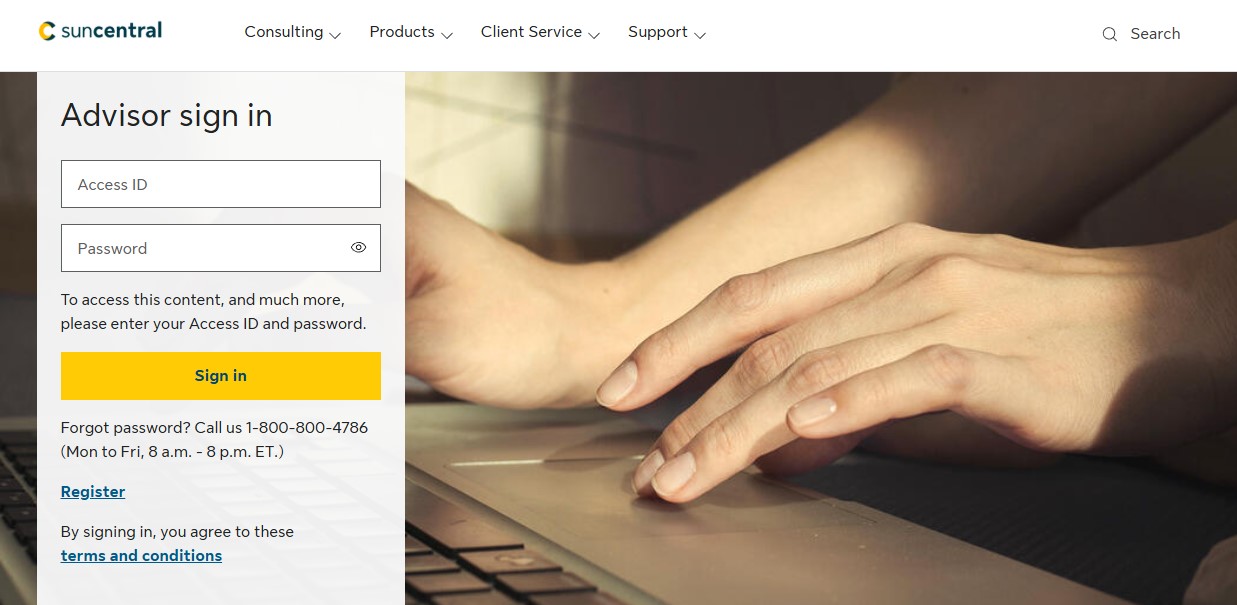
Step 1: Sign in to Suncentral with your Access ID and Password.
Step 2: Select the Profile link in the top right corner of the screen.

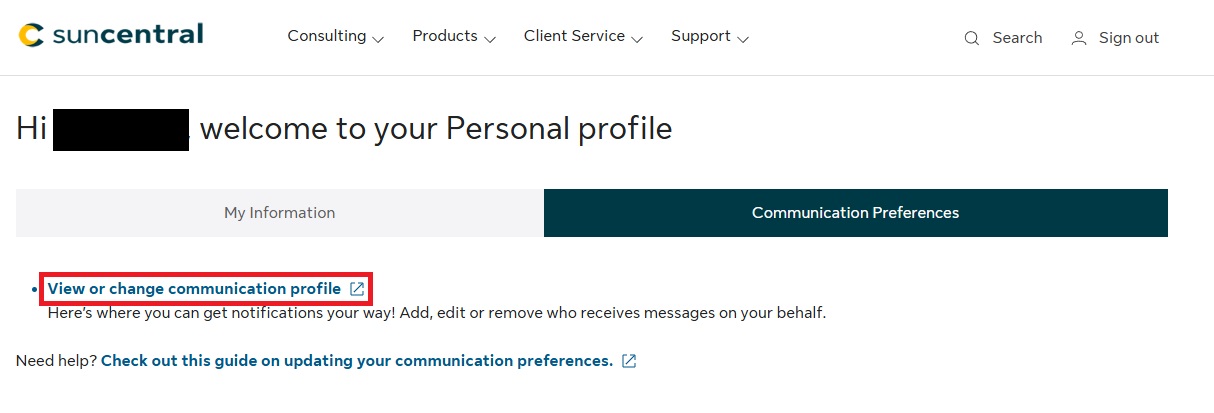
Step 3: Under the Communication Preferences tab, select View or change communication profile.
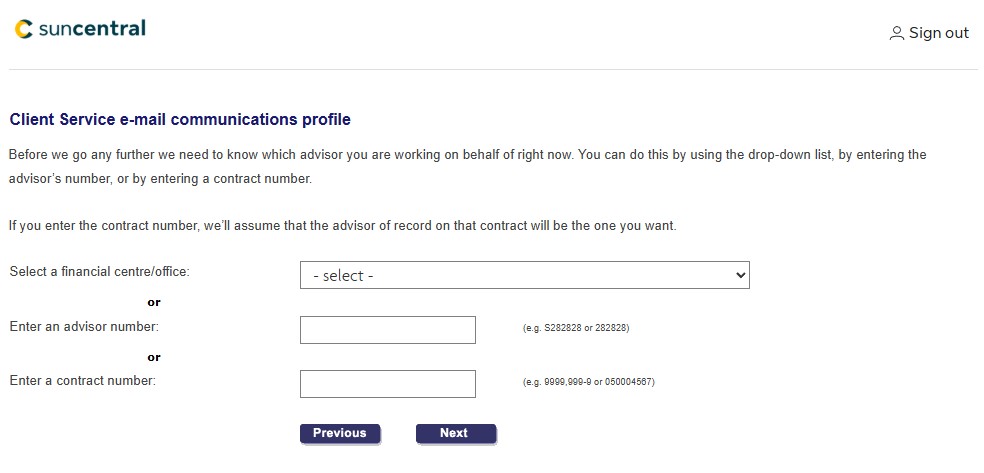
Step 4: Identify the office, advisor or contract you are working for by entering the advisor number or contract number. Once entered, select Next.
Result: Your communication preferences for New business emails and All other client services are displayed.
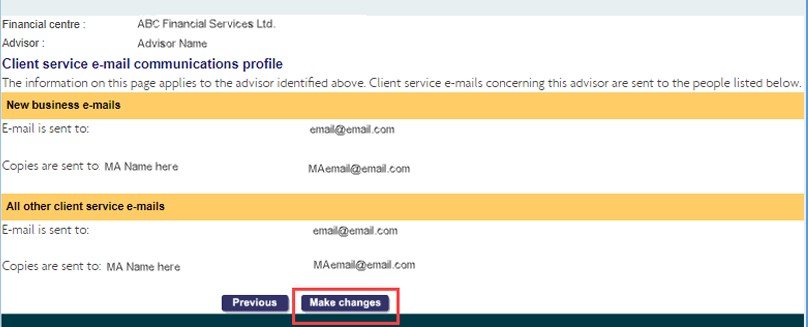
Step 5: To edit these settings, select Make changes.
Step 6: Add, modify, or remove any email addresses in your communication preferences. Select Next to apply your changes.
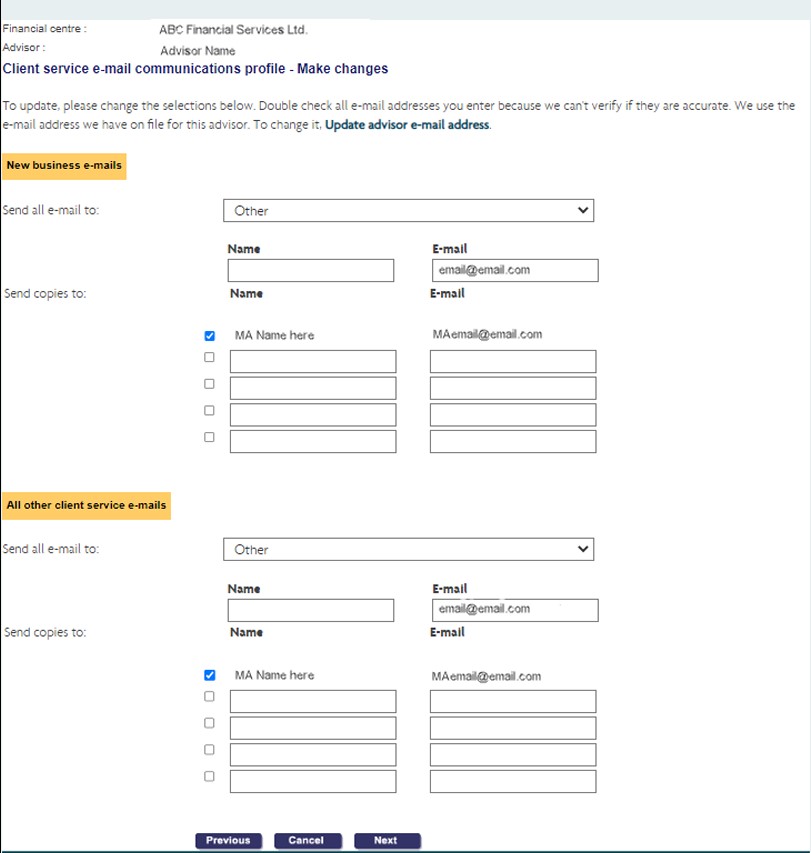
Note: If you want to discard your changes, or go back to the previous screen, select Cancel or Previous.