The Situation:
You’ve done a needs analysis and know the amount of permanent insurance coverage your client is looking for. You’re looking at participating insurance and you are considering what dividend option to select.
How to use the Enhanced Insurance dividend option
- You enter the total permanent insurance you want to illustrate in the Coverage amount field.
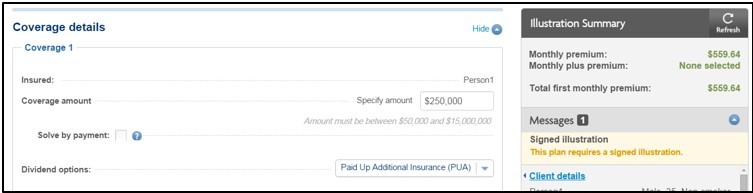
- For the Dividend Option, select Enhanced Insurance.
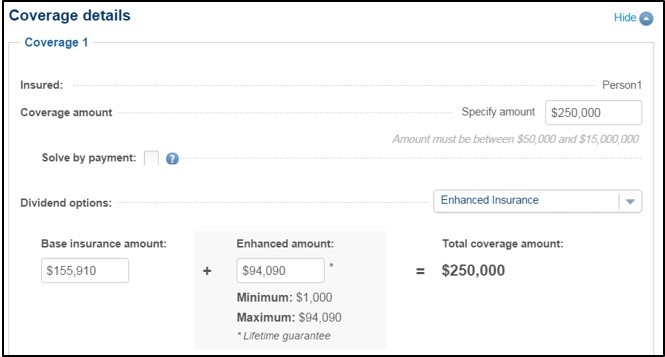
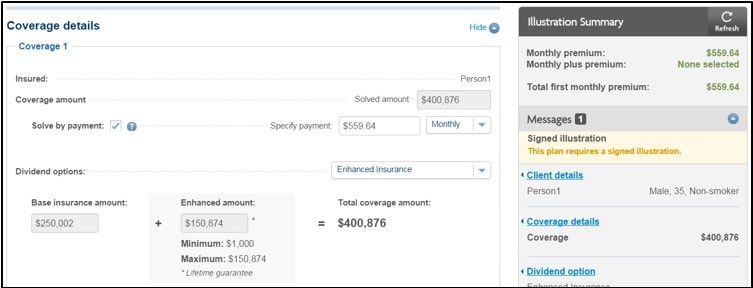
- When you choose Enhanced Insurance, the illustration allows you to adjust the Base insurance amount and Enhanced amount split based on the desired total Coverage amount.
The following example shows a scenario with a Coverage amount of $250,000 with Enhanced Insurance. You can change the Enhanced amount as long as you remain within the Minimum and Maximum limits as displayed on screen. If you change the Enhanced amount, the Base insurance amount is automatically updated. Or, you could change the Base insurance amount and the Enhanced amount will be updated automatically. If you input a value outside of the acceptable range, the system automatically updates the amount to the closest acceptable amount.